VIX:a voice assistant for office routines
You speak, a model plans, the code fills it in. A 3D character that lives on the desktop and fills a web form field by field, in front of you.
- Role
- Author, from concept to validation, with AI agents writing the code
- Period
- Aug and Oct 2026
- Status
- in progress
- LLMs and agents
- Gemini Live API
- Gemini (saída estruturada)
- Playwright
- Python
- Node.js
- Electron
- Three.js
- C#
Plain explanation
The problem
Every day, people who work on several fronts have to log their hours in a form: the day, how it went and, for each stretch of work, the start time, the end time, codes picked from lists with hundreds of options, and a description of what was done.
At the end of a tiring day, people no longer remember clearly what they did in the morning. They fill it in from memory and summarize too much. Whoever reviews the hours later gets a short record and cannot tell what was done.
What it does
- Listens when you ask
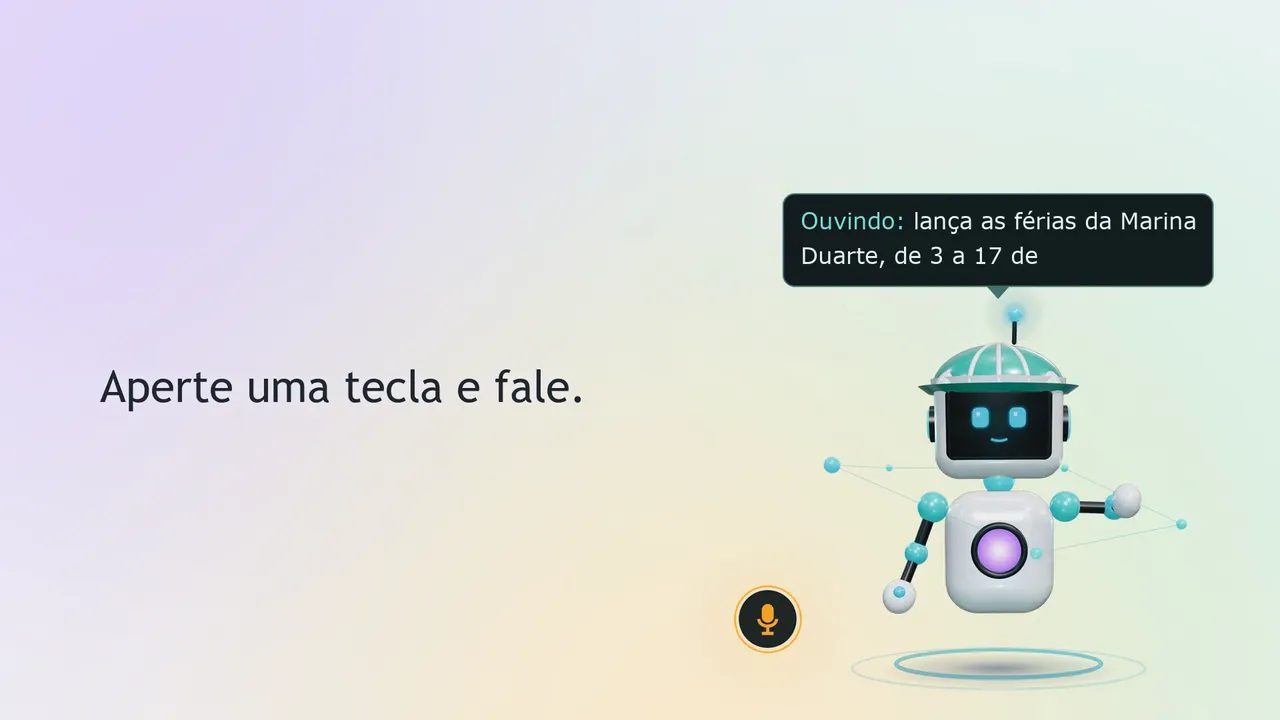
You press a key and describe your day in your own words, as you would to a coworker.
- Fills it in in front of you
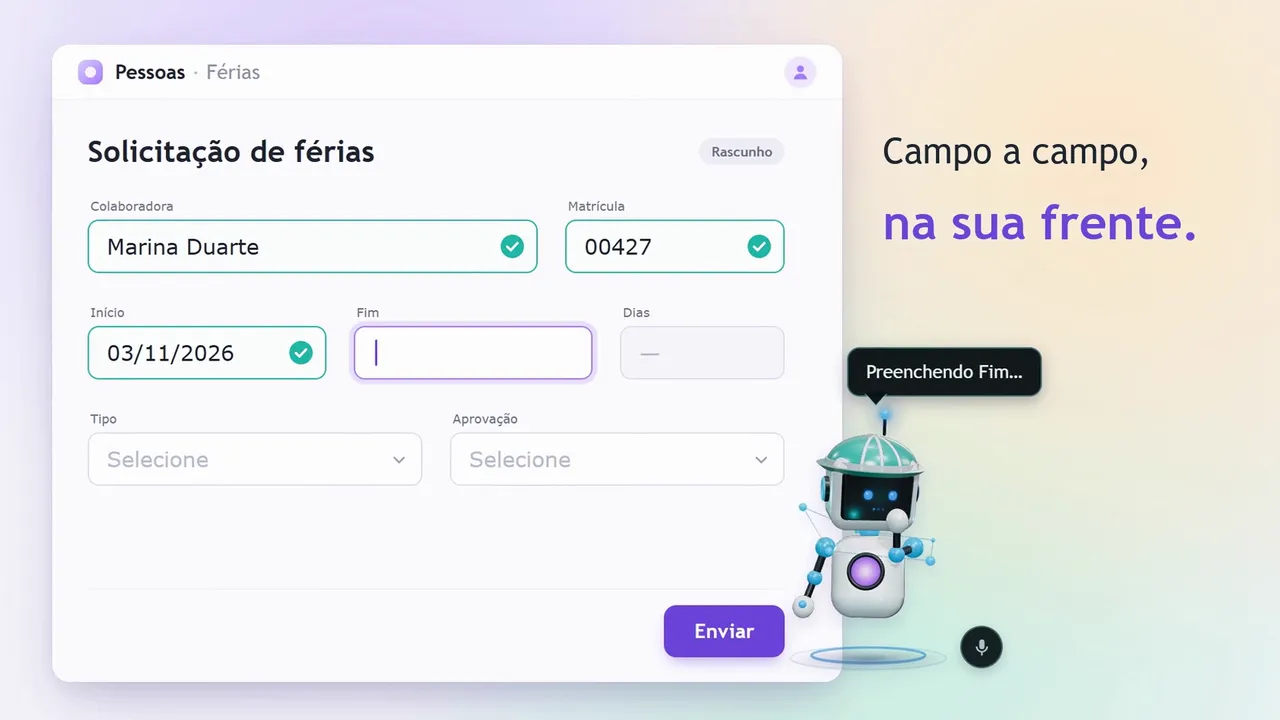
It opens the form in a window of its own and fills it in field by field. You can watch each letter go in.
- Asks what is missing
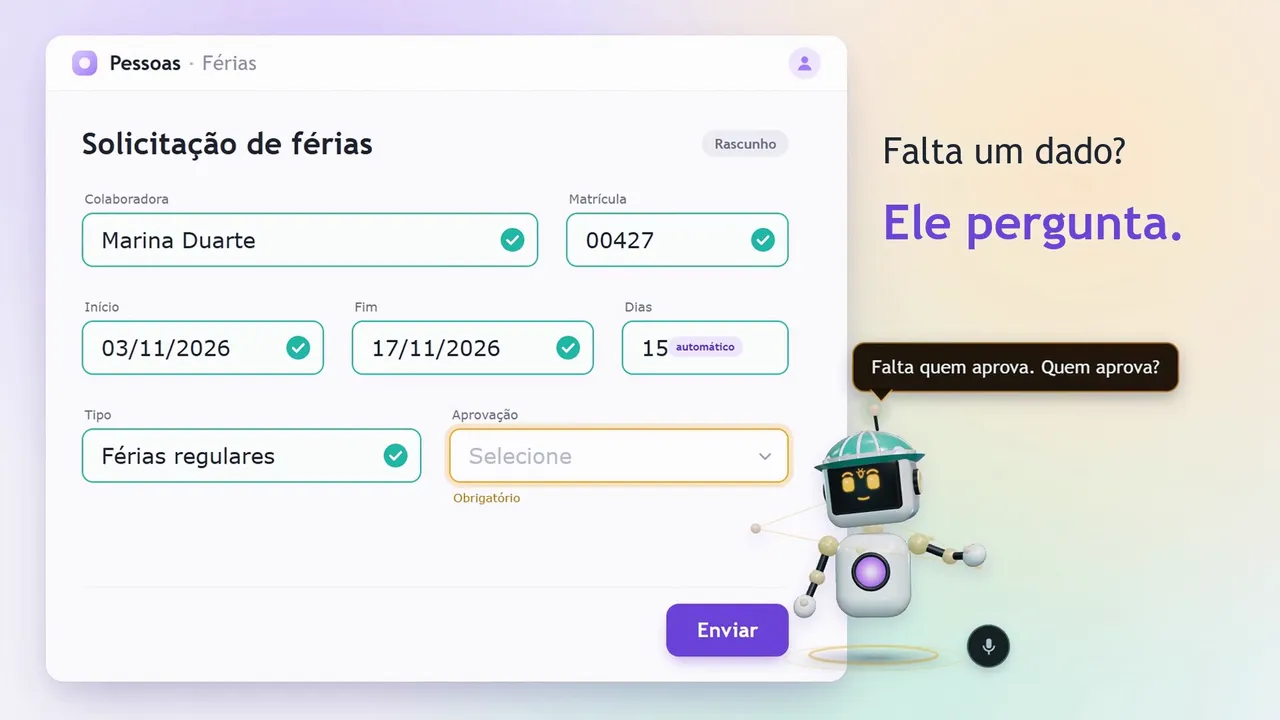
A time is missing, or the code you said does not exist? It asks out loud instead of guessing.
- Only submits when you say so
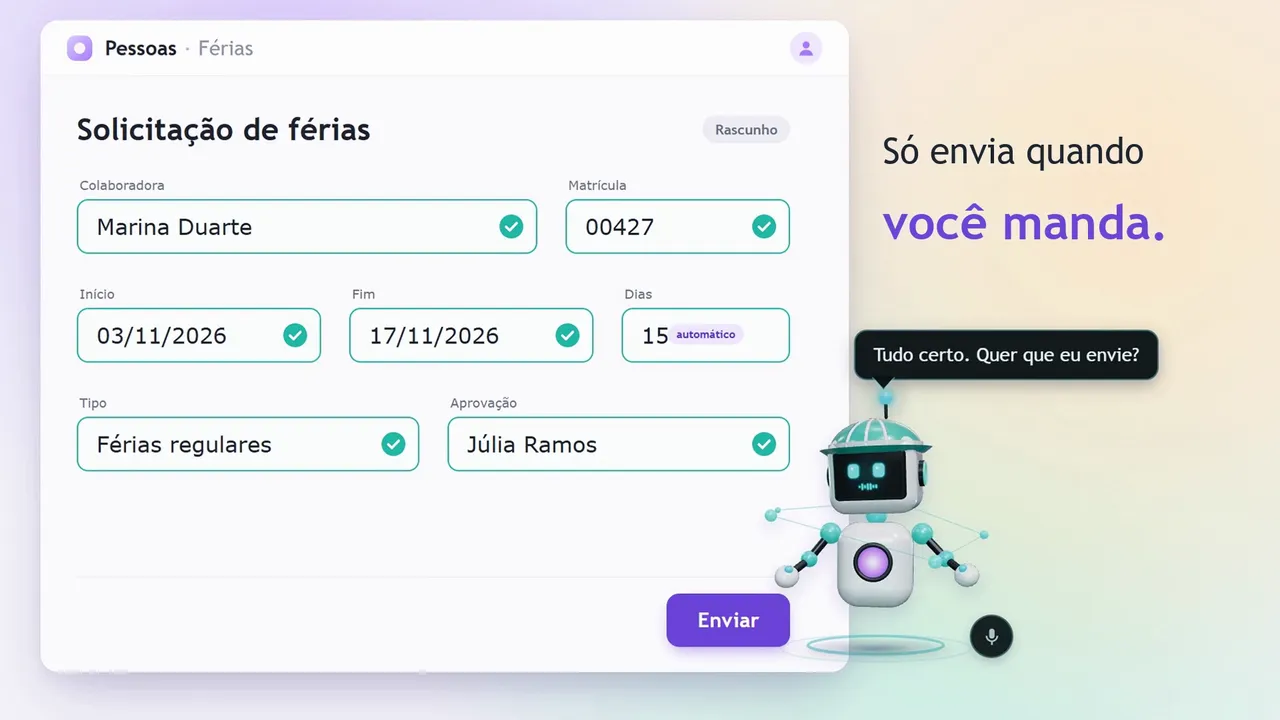
At the end, it asks “Want me to send it?” and only submits when you say “go ahead and send”.
On screen
In the VIX ad, the same approach on a vacation request, with made-up data.

Tap outside the image to close it.
Tap outside the image to close it.
Tap outside the image to close it.
Tap outside the image to close it.
What changes
- Before
- 7.2 s
- After
- 4.3 s
Logging the day becomes a short conversation, instead of hunting for codes in long lists at the end of the workday.
Whoever reviews the hours gets the complete day, with what the person said, not a rushed summary.
And the same approach can serve any repetitive everyday form: the person speaks, it fills the form in plain sight and asks what is missing.
Technical explanation
Problem, improvement and result
- Problem
- Daily time logging in a web form: for each day, the status and several activity blocks, each with start, end, cost center, work order and activity picked from long lists, plus a description. At the end of the day, the record comes out summarized and hard to review.
- Improvement
- Push-to-talk speech, live transcription and one JSON plan per utterance: the model plans. An executor in code, with three safeguards, fills in the form in plain sight through Playwright and rereads the screen before replying: the code acts.
- Result
- On a local copy of the form, with made-up data: the plan starts 0.57 s after the end of speech (it was 3.55 s), a complete utterance takes 4.3 s to the filled-in form, and 19 of 19 scenarios passed by text. Measured on October 15 and 19, 2026.
The anatomy of an utterance
From the end of your speech to the filled-in form, on a time scale. Each mark opens to show how it was measured.
19 of 19conversation scenarios passed, each one checked field by field on screen and in the test database.
0.32 s
Median from the end of speech to the text being ready, over 68 utterances; the worst case was 0.7 s. On a local test copy of the form, with made-up data and synthesized speech, on October 15, 2026.
0.57 s
Median from the end of speech to the start of the plan, over 65 utterances; 58 of them under 1 s.
before live transcription: 3.1 s and 3.55 s
The same test run, sending the whole audio after the speech: 3.1 s to the text and 3.55 s to the plan. Live transcription cut the wait for the text about tenfold.
4.3 s
Median of a complete utterance, through to the filled-in form: 12 turns on October 19, 2026, from 1.4 to 13.6 s. On October 15, before the adjustments, it was 7.2 s.
19 of 19
By text, on October 15, 2026, plus 5 of 5 for the October 19 features. Each scenario is a script of utterances: describe the day, copy the previous one, correct, ask for what is missing and submit on command.
What VIX does today
- Listens when you tell it to. A hotkey (F9), in any program, or a click on it. The speech ends with the same key or with 2 seconds of silence.
- Understands while you speak. The text appears in the bubble before you finish.
- Fills in the form in plain sight. In a browser window of its own, with clicks and keystrokes, the way a person would.
- Asks instead of guessing. A time is missing, a code does not exist, the approver is missing: it asks and suggests the closest matches.
- Only submits on command. After filling in the form, it asks “Want me to send it?” and only submits on “go ahead and send”.
- Remembers the whole day. You describe tasks bit by bit (“Noted: meeting about the project.”) and, at the end, “close the day” builds a draft with the computer’s times and asks “Should I log it like this?”.
- Corrects and copies. “Same as yesterday” copies the previous day and adjusts only what you said; “correction: I got in at eight thirty” changes what was already logged; “what is left to log?” lists the open days.
It answers out loud and in writing, in the bubble above its head.
On screen
Tap outside the image to close it.
Tap outside the image to close it.
Tap outside the image to close it.
Tap outside the image to close it.
How it works
Six steps, from key to screen. The model plans; the code acts.
- Key
F9 in any program; VIX appears without stealing focus.
C# - Capture
The microphone streams out in 100 ms chunks.
Electron - Transcription
Live, while you speak.
Gemini Live0.32 s - Plan
One call per utterance returns a plan in JSON.
Gemini0.57 s - Executor
Checks the rules and the safeguards. The code has the final say.
Node.js - Browser
Clicks and types in plain sight; then reads the screen back.
Playwright4.3 s
The model does not call tools freely. For each utterance, it returns a plan with fixed fields: what to do, on which day, where to copy from, the blocks with only what was said and, if something is missing, the question. The plan alongside is a simplified form, with made-up data.
After acting, VIX reads the screen and only then says what it did. It has no way to claim it did something it did not.
{
  "acao": "preencher",
  "data": "2026-10-14",
  "copiar_de": "anterior",
  "blocos": [
    { "indice": 0, "inicio": "08:00", "fim": "12:00" }
  ],
  "pergunta": "",
  "fala": "Lancei a manhã de ontem."
}
Decisions
Instead of: Letting the model call tools freely.
Cost accepted: Each type of form needs its own schema and its own executor.
Instead of: Trusting the model to ask for confirmation.
Cost accepted: One more utterance per submission: always read, write on command, submit on “go ahead and send”.
Instead of: A microphone open all day, waiting for its name.
Cost accepted: One more gesture; in exchange, it never opens the microphone on its own.
Instead of: Sending the whole audio at the end: 3.1 s just to get the text.
Cost accepted: A connection held open during speech; the text comes out in 0.32 s.
Instead of: Always waiting for the strongest model.
Cost accepted: Sometimes the answer comes from the light model, which steps in if the strong one does not reply within 3 s.
Instead of: Controlling the computer's mouse and keyboard.
Cost accepted: Narrower scope; every step stays visible and nothing interferes with what you are doing.
How it was built
- AugThe character
A 3D robot built entirely in code, in Three.js, with no ready-made models, six states and an equalizer mouth driven by the voice.
- Oct 14Understanding the form
Before writing code, mapping the fields, the rules and what each choice unlocks or requires.
- Oct 15The first full cycle
A local copy of the form with made-up data, the key, the plan, the filling and the scenario test suite. On the same day, live transcription: from 3.1 s to 0.32 s.
- Oct 16How it is used
The microphone that never opens on its own, the 2 s of silence, the day's memory and one task per line.
- Oct 19Closing the day
“Close the day”, “what is left to log” and the computer's times as a draft. Plus 5 of 5 new scenarios.
I worked with AI coding agents: I defined the behavior, the rules and the acceptance criteria, they wrote the code, and the scenario test suites decided whether a change stayed.
Limits
- The plan schema, the rules and the executor belong to this timesheet form; each new form needs its own description.
- The numbers come from a local copy of the form, with made-up data and synthesized speech; the next test run adds real speech and office noise.
Today and next
Today
VIX fills in the web timesheet form, in its own browser window. Transcription and planning use a cloud AI service: the speech and a summary of the screen go to that service; the password never does.
Next
- One executor per configuration: a new form described in a file, with no new code. The time-bank spreadsheet in the video is the first candidate.
- More voices in the test suites, with real speech and office noise.
- Timing the same day logged by hand and by voice.
Code written by AI agents, under the author's direction.
The screens in the images and the video were made for the ad, with made-up names and data.